How to Use a Blue Tees Golf Rangefinder
To use a Blue Tees golf rangefinder, aim it at the flag, steady the view, and press the measure button to read the distance. Button layouts and features vary by model, so check your unit's manual before using slope or changing settings.
On this page (8 sections)
- How do you use a Blue Tees golf rangefinder step by step?
- How do you aim at the pin without measuring the background?
- What do the buttons and display do?
- What should you know about slope and tournament play?
- How do you check distances to hazards and other targets?
- What should you do if the reading looks wrong?
- Which other devices can help with golf distances?
- How do you use a Blue Tees rangefinder with confidence?
To use a Blue Tees golf rangefinder, aim the view at the flag, steady the unit, and press the measure button. Read the distance on the display, and check your model's manual for its button layout and any features such as slope.
Most laser rangefinders follow this basic sequence, but controls and indicators differ between models. If you're new to the device, first practice on a stationary target away from play.
How do you use a Blue Tees golf rangefinder step by step?
Point at the flag, center the crosshair, press measure, and read the result. Repeat the measurement if the target was hard to see or the number doesn't fit the hole.
- Turn on the rangefinder using its power or measure button.
- Look through the eyepiece and place the crosshair on the flagstick.
- Keep the device steady and press the measure button.
- Check the display for the distance and any lock or confirmation signal.
- Aim again if the reading appears inconsistent.
Some models may use a vibration, icon, or other cue to confirm a target lock. Check the manual for what your Blue Tees model shows.
How do you aim at the pin without measuring the background?
Keep the crosshair on the flagstick itself while you take the reading. If the laser catches a tree, hill, or object behind the pin, the number may not represent the distance you need.
Hold the rangefinder close to your eye and brace your elbows against your body. You can also steady your hands against a cart or another stable surface, as long as you don't obstruct play.
The flag can move in wind, so take another reading if you measured while it was fluttering or partly hidden. Compare the result with the hole layout and the distance to visible landmarks.
A rangefinder helps you get a distance to a chosen target. For a broader explanation of its role, see what a golf rangefinder is for.
What do the buttons and display do?
The measure button takes a distance reading, while other controls depend on the model. Use the manual to identify power, mode, unit, and slope controls before changing settings.
Look for the distance in the display after aiming. If the screen is blurry, adjust the eyepiece focus if your model allows it, and confirm the unit is set to yards or meters as you expect.
Don't assume every Blue Tees rangefinder uses the same sequence or symbols. A control that changes a measurement mode on one model may have a different role on another.
What should you know about slope and tournament play?
Slope adjusts distance for elevation on models that include the feature. Rules for tournament play can restrict slope use, so check the event rules and your specific device's settings.
For professional events, read whether pros can use rangefinders and check the applicable tour policy.
A slope adjusted number estimates how a hill or downhill shot may affect the playing distance. It is different from the straight-line distance to the target, and should not be mistaken for a direct measurement of how far the ball will travel.
Some rangefinders have a way to disable slope, but the switch or setting varies. Our Callaway 300 Pro laser rangefinder review covers a model with an external slope on/off switch.
How do you check distances to hazards and other targets?
Aim at a visible point on the hazard or course feature and take a separate reading. You can measure the near or far edge of a bunker, for example, if you can see and target that edge clearly.
A laser rangefinder reports distance to the point it locks onto. That means you should choose the exact spot relevant to your next shot, rather than aim generally toward a broad area.
Different devices may show distances in different ways. For a quick overview of possible readings, see what a golf rangefinder can measure.
What should you do if the reading looks wrong?
Aim again and steady the unit before relying on an unexpected distance. Check that the target is visible, the crosshair is on the intended point, and the unit is set to your preferred units.
Low light, a moving flag, or an obstructed view can make targeting harder. Move to a clear position when safe, and compare the result against course markers or a known distance.
If the device won't turn on or the display remains unclear, follow the maker's troubleshooting steps for that exact model. Avoid guessing at button combinations that could change settings.
Which other devices can help with golf distances?
Choose a laser rangefinder for aiming at a specific visible target, or a GPS device for course distances shown by screen or voice. Your preference for a direct pin reading or hands-free information can guide the choice.
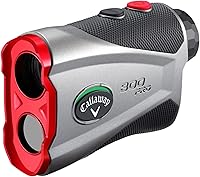
The Callaway 300 Pro offers pin-locking technology, a pulse confirmation, and an external slope switch. Its listed range is 5 to 1,000 yards, with measurements in yards or meters.
For model-specific Blue Tees controls, compare the Blue Tees Captain Pro review and Blue Tees Series 3 Max rangefinder reviews. They can help you identify which features match your unit.
The TUSITA silicone case is compatible with Garmin Approach Z80 and Z82 rangefinders. Its cutouts are designed to keep buttons and ports accessible while the device is in the case.
The GOLFBUDDY Voice 2S+ is a GPS device that gives front, center, and back green distances through audio and a screen. It clips onto a hat or belt, so it suits golfers who want distance information without aiming a laser.
For more options, browse our best laser golf rangefinders.
How do you use a Blue Tees rangefinder with confidence?
Use the same short routine on each shot: identify the target, aim at it, steady the unit, and confirm the distance. Check the manual for your model before using slope, changing units, or interpreting special indicators.
Pick a laser if you want to measure a visible target such as the pin. Pick GPS if you prefer course distances displayed without aiming.
For Blue Tees models, use the model-specific controls in the manual and compare reviews when deciding which features fit your needs.
Frequently asked questions
How do you use a Blue Tees golf rangefinder?
Point the viewing end toward the target, place the crosshair on the flag, and press the measure button. Hold the unit steady while it reads the distance, then check the display.
Button names and extra features can vary across Blue Tees models, so use the manual for your exact unit.
How do you aim a golf rangefinder at the flag?
Look through the eyepiece and center the crosshair on the flagstick, not the trees or ground behind it. Keep both elbows steady or brace your hands, then press the measurement button.
If the reading seems too long, aim again and confirm the unit has locked onto the pin.
What does slope do on a golf rangefinder?
Slope estimates a playing distance that accounts for elevation change, while a basic distance is the straight-line measurement to the target. The feature and controls vary by model.
Check your course rules and the device manual, and turn slope off when the rules require a non-slope reading.
Can you use a rangefinder for hazards?
A laser rangefinder can measure the distance to a visible point, which may include a bunker edge or another course feature. Aim at a specific spot and verify the reading makes sense for the hole.
GPS units may show hazard distances through a different display or voice feature.