How to Determine Line of Sight? Broken Down Simply
On this page (7 sections)
Determining line of sight is about checking if your desired transmission path is clear and unobstructed. You need to ensure there are no physical barriers, like trees or buildings, blocking the way. This is a fundamental step for any wireless communication setup.
Think of it like trying to see across a crowded room. If there’s a tall person or a big plant in the way, you can’t see who you’re trying to reach. For wireless signals, the same basic principle applies, affecting signal strength and reliability. Proper line of sight ensures your data travels efficiently.
- Line of sight means a clear path for signals.
- Obstructions like trees or buildings block signals.
- It’s essential for reliable wireless connections.
- Simple tools can help you check for obstructions.
Let’s walk through how to easily check your line of sight for your specific needs.
Checking for a Clear Path for Your Wireless Signal
Understanding line of sight is essential for setting up any wireless network. It simply means that there’s nothing physical blocking the straight path between your transmitting device and your receiving device. Think of it like shouting to someone across a park – if there’s a wall or a dense hedge in the way, your voice won’t reach them clearly, if at all.
For wireless signals, this clear path is key to getting the strongest, most reliable connection. Without it, your signal can become weak, jumpy, or even drop completely. This guide will break down how to easily check if your path is clear.
Why Line of Sight Matters for Your Connection
When we talk about line of sight, we’re referring to the unobstructed view between two antennas. This applies to many wireless technologies, from Wi-Fi extenders and point-to-point links to satellite dishes and even some baby monitors. It’s the fundamental principle that allows invisible radio waves to travel from point A to point B.
Imagine your wireless signal as a beam of light. If you shine a flashlight through a clear window, the light hits its target. If that window is covered by a thick curtain or a brick wall, the light is blocked. Wireless signals behave in a very similar fashion. Physical obstructions can absorb, reflect, or scatter these signals, weakening them significantly.
Understanding Signal Obstructions
Various things can get in the way of a clear signal. The most common culprits are:
- Buildings: Brick, concrete, and metal are particularly good at blocking wireless signals. Even glass can sometimes interfere, especially if it has metallic coatings.
- Trees and Foliage: Dense leaves, especially when wet, can absorb signal energy. Individual branches might not cause a problem, but a whole grove of trees can be a major barrier.
- Hills and Terrain: Large geographical features like mountains or even significant hills can create signal shadows where reception is poor or non-existent.
- Other Structures: Things like water towers, large signs, or even dense crowds can also impede signal travel.
Research from organizations like the National Association of Broadcasters (NAB) has shown that the density and material of an obstruction play a big role in how much it affects signal strength. A single sheet of drywall might cause a minor dip, while a thick concrete wall can nearly eliminate it.
The Impact on Your Wireless Performance
When your wireless devices lack a clear line of sight, you’re likely to experience several frustrating issues. These can include:
- Slow Speeds: The signal has to work harder to get through, leading to reduced data transfer rates.
- Intermittent Connections: Your connection might drop in and out frequently, making it hard to stay online.
- Reduced Range: The signal won’t travel as far as it could with a clear path.
- Increased Latency: For activities like online gaming or video calls, this means delays and lag.
Many network engineers, like those often cited by the Institute of Electrical and Electronics Engineers (IEEE), emphasize that achieving near-perfect line of sight can improve wireless performance by 50% or more in some scenarios. It’s often the first thing they check when troubleshooting a weak signal.
How to Check Your Line of Sight: Simple Methods
You don’t need fancy equipment to get a good idea of whether you have line of sight. Often, your own eyes and a little bit of planning are all you need. We’ll walk through a few common scenarios.
Method 1: The Visual Inspection (For Shorter Distances)
This is the most straightforward method, especially for setups like Wi-Fi extenders or basic wireless bridges within a property. Find the two locations where your devices will be placed.
From the first location, look directly towards the second location. What do you see? Are there trees, buildings, or other permanent structures directly in the path between them? If you can see the second location clearly and directly, you likely have good line of sight.
Now, reverse the process. Go to the second location and look back at the first. Do you see any obstructions from this angle? Sometimes, what looks clear from one side might have a hidden obstacle from the other. You’re looking for a clear, unbroken visual path in both directions.
What If You See Something?
If your visual inspection reveals obstructions, don’t panic just yet. Consider the nature of the obstruction. Is it a few leaves on a small bush that you can trim? Or is it a large, solid building? Small, temporary, or easily movable obstructions might not be a deal-breaker.
However, if you see large trees, buildings, or hills, it’s a strong indicator that you may have a line of sight problem. For these situations, you might need to consider alternative mounting locations or different types of equipment.
Method 2: Using Online Mapping Tools
For longer distances, like setting up a point-to-point link between two buildings or extending internet service to a remote area, online mapping tools can be incredibly helpful. Tools like Google Earth or specialized line-of-sight calculators offer a bird’s-eye view and even 3D modeling.
You can often input specific addresses or coordinates for your two locations. These tools can then simulate the terrain between them. Some advanced tools even allow you to factor in the height of antennas or potential obstructions. Many professional installers use these tools to get a preliminary assessment before any physical work begins.
How to Use Mapping Tools Effectively
1. Get Accurate Coordinates: Pinpoint the exact locations for both your transmission and reception points. Use the measuring tools within the mapping software if needed.
2. Visualize the Path: Look at the map from above and also use the 3D view if available. See if any major geographical features or known buildings sit directly on the straight line between your two points.
3. Consider Elevation: If one point is significantly higher than the other, or if there’s a hill in between, mapping tools can help you understand if the elevation difference creates a clear path or a blockage.
While these tools provide an excellent overview, they might not account for every single tree or small structure. They are best used as a strong indicator, not a definitive final word, especially for critical installations.
Method 3: The DIY Obstruction Test (For Critical Setups)
If you’re setting up something important, like a business link or a critical home network extension, and you suspect an obstruction, you can do a simple test. This involves using a laser pointer or a strong flashlight.
From the transmission location, aim the laser or flashlight directly at the reception location. Have someone at the reception location signal back if they can clearly see the beam. If they can see it consistently, you likely have line of sight. However, be cautious – a laser can be dangerous if pointed incorrectly, so always use it responsibly and never in the direction of people or animals.
This method is more about confirming a visual straight shot than measuring signal strength. It’s a quick way to verify that the basic physical path is open.
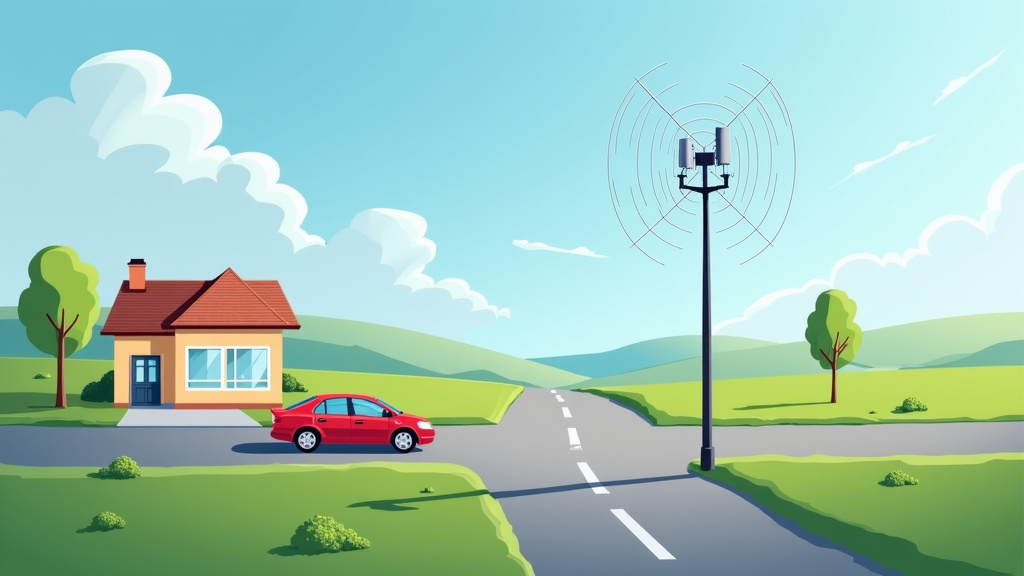
Quick Line of Sight Checklist
Before you finalize your wireless setup, run through these quick checks:
- Visual Check: Can you see the intended destination clearly from your starting point?
- Reverse Check: Can the destination clearly see your starting point?
- Obstruction Scan: Identify any buildings, dense trees, or large hills in the direct path.
- Mapping Tool Review: Use online maps for a broader view of the terrain.
- Consider Antenna Height: Could raising antennas slightly clear minor obstructions?
- Test the Path: If possible, do a brief test with a simple signal to see if it registers.
When to Seek Professional Help
For most home users setting up a Wi-Fi extender, the visual inspection is usually enough. However, if you’re dealing with longer distances, critical business connections, or you’ve done your checks and are still unsure, it might be time to call in the pros. Professional installers have specialized tools like signal meters and advanced line-of-sight survey equipment that can provide precise measurements.
They can also advise on the best equipment to use for your specific situation, including antennas that might be more tolerant of slight obstructions or solutions that don’t require perfect line of sight. Don’t hesitate to seek expert advice when the stakes are high.
Conclusion
You’ve now learned that checking line of sight is a straightforward process. It’s about ensuring a clear path for your wireless signals. Whether you’re using your eyes for a quick check or mapping tools for longer distances, you can identify potential obstructions. Don’t forget the importance of the reverse path check.
If you’re setting up home Wi-Fi, a simple visual inspection is often enough. For more critical connections, consider advanced tools or professional help. Your next step is to apply these simple methods to your specific situation and aim for the clearest path possible for your best wireless performance.
Frequently Asked Questions
Will a few leaves on a tree block my wireless signal?
A few leaves on a small bush likely won’t cause a major problem. However, dense foliage, especially when wet, can absorb signal energy. If you have a significant number of trees or a dense grove in the path, it can become a barrier.
How high do my antennas need to be for good line of sight?
Sometimes, simply raising your antennas a few feet can clear minor obstructions like fences or low bushes. For larger obstacles like buildings or hills, antenna height alone usually isn’t enough to create a clear path.
Can I use my smartphone to check line of sight?
Your smartphone’s camera can help with visual inspections, allowing you to zoom in on potential obstructions. While it doesn’t provide exact measurements, it’s useful for the basic visual check method described in the article.
What if I can’t get perfect line of sight?
If perfect line of sight isn’t possible, you might explore antennas designed to be more tolerant of slight obstructions. In some cases, you might need to consider different technologies or consult professionals about solutions that don’t require a perfectly clear path.
Do I need special software to check line of sight for my home Wi-Fi?
For most home Wi-Fi setups, like extenders, a simple visual inspection is sufficient. You likely won’t need any special software. Online mapping tools are more helpful for longer distances or more complex setups between buildings.