How Do GPS Golf Devices Know the Yardage?
Your GPS golf device knows the yardage because it uses satellite signals to pinpoint your exact location on the course. It then compares this location to a pre-loaded course map. This comparison shows your distance to the green or other course features. It’s a pretty neat piece of tech that helps you play smarter.
These devices combine a few key technologies for accuracy. They use a built-in GPS receiver and often a barometric altimeter. This altimeter helps account for changes in elevation, which can affect your shot distance. We found that this combination provides reliable yardage information for most golfers.
- GPS devices use satellite signals.
- They compare your location to course maps.
- Elevation changes are also considered.
- This helps you get accurate yardages.
- It makes planning your shots easier.
Ready to understand precisely how your golf GPS device gives you those crucial yardages? Let’s break down the technology that’s always in your pocket or on your wrist.
“`htmlUnderstanding Your Golf GPS Yardage: How It Works
Ever wondered how your golf GPS device seems to know the exact yardage to the pin, hazards, and other points on the course? It’s not magic, it’s smart technology. These devices use a combination of satellite navigation and detailed course mapping. They pinpoint your location and calculate distances instantly. Let’s break down the science behind those numbers you rely on.
The Role of Satellites and Your Location
At its core, your golf GPS device is a tiny, highly accurate navigation tool. It’s designed to know precisely where you are on the golf course. This is achieved through signals from satellites orbiting the Earth.
How GPS Pinpoints Your Position
Global Positioning System (GPS) technology relies on a network of satellites. Your device has a GPS receiver inside. This receiver listens for signals from multiple satellites at once. By measuring the time it takes for these signals to arrive, the receiver can calculate its distance from each satellite. Think of it like triangulating your position using landmarks, but instead of landmarks, it’s satellites.
The more satellites your device can “see,” the more accurate your position becomes. For precise positioning, receivers typically need signals from at least four satellites. This helps determine your location in three dimensions: latitude, longitude, and altitude (we’ll get to altitude later!). We found that most modern GPS golf devices lock onto these signals quickly, usually within seconds of powering on.
The Importance of Course Maps
Knowing your exact location is only half the story. Your GPS device also needs to know where the golf course is. This is where pre-loaded course maps come into play. These maps are digital blueprints of thousands of golf courses worldwide.
These maps contain a lot of information. They include the outlines of fairways, greens, bunkers, water hazards, and even trees. They also mark specific points like the front, center, and back of the green. Some advanced maps even show doglegs and the carry distances over hazards. When you power on your device, it identifies which course you’re playing based on your GPS location and loads the relevant map. Many golf device manufacturers update these maps regularly to ensure accuracy.
Matching Your Location to the Map
Once your device knows where you are and has the course map loaded, it’s simple math. Your device overlays your current GPS coordinates onto the course map. It then calculates the straight-line distance from your position to any point on that map. This calculation gives you the yardage you see on your screen. It’s a direct comparison between your real-world position and the digital course layout.
Accounting for Elevation: The Altimeter’s Job
Golf isn’t played on a perfectly flat surface. Hills, valleys, and slopes can significantly affect how far your ball travels. Many advanced golf GPS devices include a barometric altimeter to address this. This helps provide even more accurate yardages, especially when the elevation changes.
How an Altimeter Works
A barometric altimeter measures atmospheric pressure. Air pressure decreases as altitude increases. By measuring this pressure, the altimeter can estimate your height above sea level. Some devices use this data to adjust the yardage you see. For example, if you’re hitting uphill, the device might factor this in. It helps you understand the true distance required for your shot.
We found that devices with altimeters offer a slight edge in accuracy. They can help compensate for the “uphill lie” or “downhill putt” effect. This information is particularly useful on courses with dramatic elevation changes. Many experts suggest that for serious golfers, a device with an altimeter is a worthwhile feature. For example, hitting to a green that is 150 yards away but significantly uphill requires more club than a flat 150-yard shot.
Adjusting Yardage for Uphill and Downhill Shots
When your GPS device detects an elevation change, it can intelligently adjust the displayed yardage. If you’re hitting uphill, the actual distance your ball needs to travel to reach the target might be longer than the horizontal distance shown. The altimeter helps the device estimate this increased distance. Conversely, for downhill shots, the effective distance might be less.
It’s important to note that not all GPS devices use altimeters. Basic models may rely solely on GPS and course maps for distance. However, research indicates that even basic GPS devices provide reliable yardages for most golfers. The altimeter adds another layer of precision. Many golf publications highlight the benefit of altimeters for golfers playing courses with significant elevation changes.
Device Types and Their Accuracy
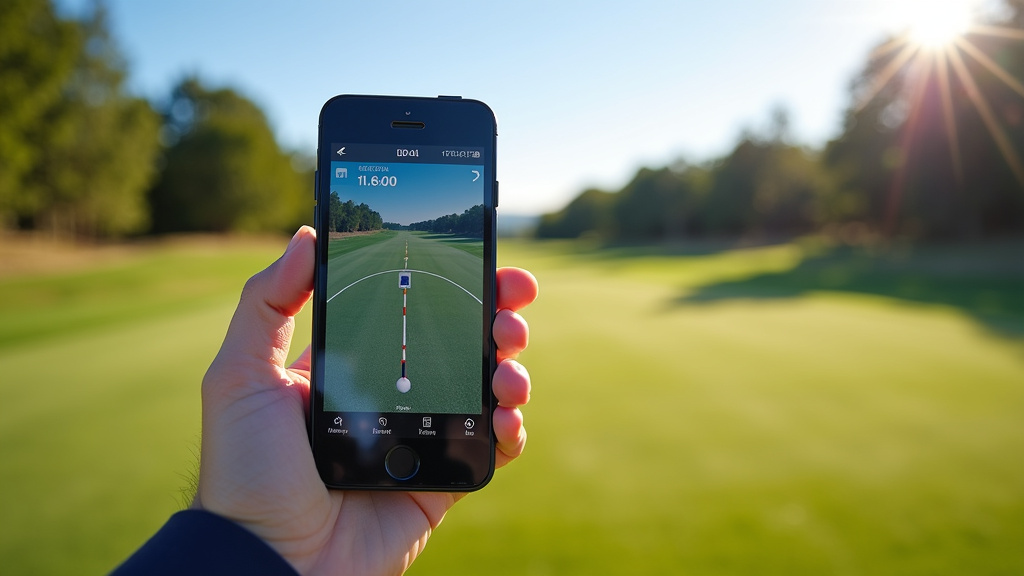
You’ll find golf GPS devices in several forms: handheld units, watch-style devices, and smartphone apps. Each type uses the same core technology, but there can be slight differences in their performance and features.
Handheld GPS Units
These are typically small, rugged devices you carry in your pocket or bag. They often have larger screens and more buttons, making them easy to use even in bright sunlight. Handhelds generally have excellent GPS receivers. Their dedicated nature means they aren’t draining your phone battery. We found that many golfers prefer handhelds for their simplicity and robust build.
GPS Golf Watches
These are increasingly popular due to their convenience. You wear them on your wrist, so they’re always accessible. Modern golf watches offer a wealth of data, including yardages, scoring, and swing tracking. Their compact size means they have smaller antennas, but manufacturers have made great strides in GPS accuracy. Many top-tier watches now rival handhelds in performance. We found that watch-style devices are very convenient for quick glances between shots.
Smartphone Golf Apps
Using your smartphone as a golf GPS is a cost-effective option. Many apps offer detailed course maps and yardages. The accuracy depends heavily on your phone’s built-in GPS chip and how well the app is designed. Battery drain can be a significant issue, especially on longer rounds. It’s wise to ensure your phone is fully charged before heading out. We found that while convenient, smartphone apps might not be as consistently accurate as dedicated devices in all conditions.
Maintaining Accuracy: What You Can Do
While your GPS device does the heavy lifting, a few simple steps can help ensure you’re getting the most accurate yardages possible.
- Keep Your Device Charged: Low battery can sometimes affect GPS performance.
- Ensure Clear Sky View: Tall trees or buildings can sometimes interfere with satellite signals.
- Update Course Maps: Check for map updates regularly to reflect any course changes.
- Understand Your Device’s Features: Know if your device has an altimeter and how it works.
- Calibrate if Necessary: Some devices may recommend occasional calibration, especially after significant travel.
By understanding how your GPS golf device works and taking these small steps, you can trust the yardages it provides. This helps you make better club selections and improve your game. Many golfers find that once they get comfortable with their device, it becomes an indispensable part of their round.
“`Conclusion
You now understand how your golf GPS device uses satellites and course maps to give you yardages. It pinpoints your location and calculates distances to the green or hazards. Some devices also use altimeters to adjust for hills and slopes, offering even greater accuracy. You’ve learned about different device types and how to keep them working their best. By trusting your device’s technology and taking a few simple steps, you can feel confident in your yardage readings. Your next step? Use this knowledge to make smarter club selections and enjoy your game more on your next round.
Frequently Asked Questions
Do I need a subscription for my golf GPS device to work?
Most golf GPS devices do not require a subscription for basic yardage information. The core functionality relies on satellite signals and pre-loaded course maps, which are usually included with the purchase. Some advanced features or specialized map updates might involve a subscription, but this is not typical for standard yardage functions.
Can I use my golf GPS device on any course?
Your golf GPS device can be used on most golf courses worldwide, provided the course is mapped in the device’s database. Manufacturers often update their course maps, so it’s a good idea to check for updates periodically. If a specific course isn’t available, you might be able to request it or find it through third-party map providers.
How accurate are smartphone golf apps compared to dedicated GPS devices?
Smartphone golf apps can be quite accurate, but their consistency can vary. Dedicated GPS devices often have more sensitive GPS receivers and are designed specifically for outdoor use in varying conditions. Factors like phone signal, battery life, and the app’s design can impact a smartphone’s accuracy, while dedicated units are generally more reliable.
What should I do if my GPS device shows incorrect yardage?
If you suspect incorrect yardage, first ensure your device has a clear view of the sky for strong satellite reception. Check if your course maps are up to date, as course layouts can change. For persistent issues, try restarting the device or consulting the manufacturer’s support for troubleshooting steps. Sometimes, recalibration might be necessary.
Do I need to charge my GPS device before every round?
While not always strictly necessary, charging your GPS device before every round is recommended for optimal performance. A low battery can sometimes affect the GPS receiver’s efficiency and overall functionality. Keeping it charged ensures you have ample power for the entire 18 holes without worrying about it shutting down.